A patient calls after office hours to book an appointment. Another wants to reschedule. Two patients cancel, leaving unexpected gaps in the provider’s calendar. Meanwhile, the front-desk team is answering calls, checking in patients, responding to messages, and trying to keep the schedule accurate.
For many clinics, appointment scheduling is no longer just a calendar function. It involves patient communication, provider availability, appointment types, cancellations, reminders, integrations, and the handling of information that may be protected under HIPAA.
That is why choosing the right HIPAA scheduling software in the USA has become an important operational and technology decision for clinics and medical practices.
The right solution should simplify scheduling without creating disconnected workflows. It should also support the privacy, security, contractual, and risk-management responsibilities that may apply when patient information is involved.
This guide reviews leading scheduling platforms to evaluate in 2026, explains what healthcare organizations should look for, and explores how HIPAA-compliant AI patient scheduling software for medical practices in the United States is changing the way appointments are managed.
Important: HHS does not endorse, certify, or recommend specific HIPAA technology products. The platforms below are options worth evaluating based on their published capabilities. Healthcare organizations should independently review current security documentation, data handling practices, integrations, and Business Associate Agreement (BAA) terms before implementation.
Why HIPAA Matters in Medical Appointment Scheduling
Scheduling information can involve more than an appointment date and time.
Depending on how a system is used, scheduling workflows may create, receive, maintain, or transmit information connected to an identifiable patient. This can include names, contact information, appointment records, provider information, and other information that may constitute protected health information (PHI).
For cloud services that create, receive, maintain, or transmit electronic PHI on behalf of a covered entity or business associate, HHS states that an appropriate HIPAA-compliant BAA is required and that the parties must otherwise comply with applicable HIPAA Rules. The covered entity or business associate also remains responsible for conducting appropriate risk analysis and risk management.
This means selecting HIPAA scheduling software in the USA should involve more than checking whether a vendor uses the words “HIPAA compliant.”
Healthcare organizations should understand:
- What patient information enters the platform
- How that information is stored, processed, or transmitted
- Whether the vendor is acting as a business associate
- Whether a BAA is required and available
- How access to patient information is controlled
- How integrations exchange information
- Whether third parties or subprocessors are involved
- What responsibilities remain with the healthcare organization
HIPAA compliance is not automatically transferred from a healthcare practice to its software vendor. The technology provider and healthcare organization may each have responsibilities based on their role and the services being provided.
What Should HIPAA-Compliant Scheduling Software Support?
The best scheduling platform should support both efficient appointment management and the healthcare organization’s broader privacy and security requirements.
| Software | Best For | Key Scheduling Capabilities | What to Verify |
|---|---|---|---|
| MantraAssist | AI-powered patient communication and appointment automation | Booking, rescheduling, cancellations, reminders, waitlist management, and automated scheduling workflows | Current integrations, security safeguards, data handling, and BAA terms |
| Phreesia | Healthcare organizations needing broader patient access workflows | Online scheduling, self-scheduling, appointment management, and connected patient access workflows | Current integrations, deployment requirements, and applicable BAA arrangements |
| NexHealth | Practices seeking connected scheduling and patient engagement | Online booking, appointment types, provider and location rules, recalls, and reminders | Compatibility with existing healthcare systems and current contractual terms |
| Existing EHR or Practice Management Tools | Practices wanting scheduling within their existing technology ecosystem | Appointment calendars, provider scheduling, patient records, and workflow integration | Scheduling functionality, integrations, patient self-service options, and security controls |
The exact requirements will vary.
An independent clinic may primarily need self-scheduling and reminders. A multi-location medical organization may require centralized scheduling rules, multiple integrations, provider-specific workflows, and greater administrative control.
Top Scheduling Software Options for Clinics and Medical Practices in 2026
Here are some of the leading scheduling software options for clinics and medical practices to evaluate in 2026 based on their healthcare-focused scheduling, patient communication, and workflow capabilities.
1. MantraAssist
MantraAssist provides AI-powered healthcare automation focused on patient communication and administrative workflows.
Its AI appointment scheduling capabilities include automated booking, rescheduling, cancellations, reminders, waitlist management, and scheduling through supported phone, web, and messaging workflows. The platform also states that its scheduling workflows can synchronize with provider calendars and EHR-connected systems.
This makes it particularly relevant for organizations evaluating HIPAA-compliant AI patient scheduling software for medical practices in the United States rather than a traditional online calendar alone.
Instead of requiring every patient to navigate a scheduling form, AI can help manage the conversation around the appointment.
A typical workflow may involve:
- A patient contacting the practice.
- AI identifying the scheduling request.
- Available appointment options being checked against configured rules.
- The appointment being booked, changed, or cancelled.
- A confirmation being sent.
- Automated reminders following.
- Complex or unusual requests being escalated to staff.
MantraAssist also describes a human-in-the-loop approach for situations that are clinical, unusual, sensitive, or otherwise unsuitable for automated resolution.
For practices considering this type of platform, the appropriate next step is to verify the current HIPAA-related safeguards, contractual terms, data handling arrangements, and BAA availability for the specific deployment before transmitting PHI.
2. Phreesia
Phreesia offers a broader patient access platform with capabilities spanning scheduling, intake, registration, communications, and other patient-facing workflows.
Its medical scheduling software includes online scheduling, patient self-scheduling, smart scheduling, insurance verification, and appointment management. Phreesia also states that its platform integrates with healthcare systems using approaches including HL7, FHIR, and other supported methods.
Phreesia’s published privacy information states that, when working on behalf of healthcare providers and receiving individually identifiable health information in that capacity, it acts as a business associate and enters into BAAs with those healthcare providers.
This may make the platform worth evaluating for organizations that want scheduling to connect with a broader patient-access workflow.
It can be particularly relevant when scheduling needs to work alongside registration, intake, eligibility, and patient communication rather than operating as a standalone calendar.
3. NexHealth
NexHealth provides healthcare scheduling and patient engagement capabilities that can support online booking, recalls, appointment reminders, and provider and location configuration.
Its scheduling platform allows organizations to configure provider availability, locations, appointment types, and scheduling rules. NexHealth also states that its platform synchronizes scheduling information with connected systems to help reduce double booking.
The company publicly states that its scheduling platform includes HIPAA compliance, while its security documentation describes HIPAA and SOC 2 compliance and lists controls including audit logging and access-related safeguards.
This can make NexHealth a relevant option for practices looking for scheduling software that connects online booking with existing healthcare technology.
As with any platform, organizations should verify current contractual and security arrangements based on their specific implementation.
4. Additional Healthcare Scheduling Platforms
Healthcare organizations may also want to evaluate scheduling capabilities available through their existing EHR, practice management, or patient-engagement platform.
In some cases, using an existing healthcare technology stack may reduce the number of systems that exchange appointment information.
However, organizations should not assume that an existing integration automatically addresses every compliance requirement.
The evaluation should still consider:
- How patient information moves between systems
- Which vendors create, receive, maintain, or transmit PHI
- Which vendors require BAAs
- How access is controlled
- What information is visible to staff
- How scheduling changes are synchronized
- How security responsibilities are divided
The best HIPAA scheduling software in the USA is not necessarily the platform with the largest number of features. It is the platform that fits the organization’s actual scheduling workflow while supporting appropriate privacy, security, and operational requirements.
Traditional Scheduling Software vs AI Scheduling
Traditional scheduling software generally focuses on displaying appointment availability and allowing staff or patients to select an appointment.
AI scheduling can add another layer by interpreting a patient’s request and moving the interaction toward the appropriate workflow.
For example, a traditional booking system may require a patient to:
- Select a location
- Choose a provider
- Select an appointment type
- Review available times
- Complete the booking process
An AI-powered workflow may allow the patient to begin with a request such as:
“I need to reschedule my appointment next week.”
The system can then identify the scheduling intent and follow the organization’s configured workflow.
This is one of the primary differences between traditional scheduling tools and HIPAA-compliant AI patient scheduling software for medical practices in the United States.
However, AI should not operate without defined boundaries.
Healthcare organizations should establish:
- Which requests automation can handle
- Which actions require verification
- When staff should take over
- How exceptions are managed
- How patient information is protected
- What oversight is required
The strongest automation strategies focus on appropriate, repeatable workflows rather than attempting to automate every patient interaction.
Key Features to Look for in HIPAA Scheduling Software
When evaluating HIPAA scheduling software, clinics should look beyond basic appointment booking and consider features that support secure, efficient, and well-connected scheduling workflows.
1. BAA Availability and Clear Vendor Responsibilities
A Business Associate Agreement is an important consideration when a vendor is acting as a business associate.
HHS explains that a cloud service provider creating, receiving, maintaining, or transmitting ePHI on behalf of a covered entity or business associate must have an appropriate HIPAA-compliant BAA and comply with applicable HIPAA Rules.
Before selecting a vendor, ask:
- Will the vendor sign a BAA where required?
- Which products and services are covered?
- What patient information does the vendor handle?
- Are subprocessors involved?
- How are responsibilities divided between the vendor and the practice?
A generic HIPAA compliance claim should not replace this review.
2. Integration With Existing Healthcare Systems
A scheduling platform should ideally reduce duplicate administrative work.
If staff have to manually copy appointments between a scheduling platform and an EHR, practice management system, or provider calendar, the process can create inefficiencies and increase the risk of operational errors.
When evaluating HIPAA scheduling software in the USA, healthcare organizations should therefore examine how the platform connects with:
- EHR systems
- Practice management systems
- Provider calendars
- Patient communication platforms
- Call systems
- Intake workflows
The important question is not simply:
“Does the platform integrate?”
It is:
“Does it integrate with the specific systems our practice uses, and how does information move between them?”
3. Appointment Confirmations and Reminders
Automated reminders can be an important part of appointment management.
HHS states that appointment reminders are considered part of treatment and may be made without patient authorization under the HIPAA Privacy Rule. Healthcare organizations should still consider how reminders are designed and the amount of information included in communications.
A scheduling platform may support:
- Appointment confirmations
- SMS reminders
- Email reminders
- Voice reminders
- Self-service rescheduling
- Cancellation workflows
The most useful reminder systems do more than notify the patient. They can support an appropriate next step when the patient needs to confirm, change, or cancel an appointment.
4. Self-Service Rescheduling and Cancellations
Patients frequently contact clinics to change or cancel appointments.
Self-service capabilities can reduce repetitive front-desk work while giving patients greater flexibility.
Depending on the configured workflow, patients may be able to:
- View eligible appointment options
- Reschedule within practice rules
- Cancel appointments
- Receive confirmation
- Move to a human-supported workflow when necessary
This can be particularly useful for practices with high appointment volumes.
5. Waitlist Management
Cancelled appointments can create gaps in provider schedules.
Waitlist workflows can help practices identify eligible patients and offer available appointment times.
For clinics managing multiple providers, locations, or appointment types, this can reduce the manual effort involved in contacting patients after cancellations.
AI-powered scheduling platforms can potentially add automation to this process by identifying available slots and initiating configured patient communication workflows.
6. Clear Human Escalation
Not every scheduling request is simple.
A patient may have an unusual request, a complicated scheduling situation, or an issue that cannot be handled through standard automation.
The HIPAA scheduling software in the USA that a clinic chooses should therefore support clear processes for exceptions.
For AI-driven workflows, healthcare organizations should understand:
- When automation stops
- Who receives the escalation
- What information is transferred
- Whether staff can review the interaction
- How unresolved requests are followed up
Automation should reduce unnecessary work without creating barriers between patients and human support.
How to Choose the Right Platform for Your Practice
The right scheduling platform depends on the size and operational complexity of the organization.
For Independent Clinics
Priorities may include:
- Easy appointment booking
- Patient self-service
- Reminders and confirmations
- Rescheduling and cancellations
- Integration with existing systems
For Multi-Provider Practices
Additional requirements may include:
- Provider-specific availability
- Appointment type rules
- Complex scheduling workflows
- Centralized appointment management
- Waitlist functionality
For Multi-Location Organizations
Healthcare organizations may also need:
- Location-specific rules
- Centralized scheduling controls
- Multi-department workflows
- Consistent patient communication
- Integration across multiple systems
For Practices Considering AI
Organizations should additionally evaluate:
- Conversational scheduling capabilities
- Integration with current appointment availability
- Defined automation boundaries
- Human escalation
- Staff oversight
- Current privacy and security documentation
The right HIPAA scheduling software in the USA should solve specific workflow problems rather than simply add another technology layer.
Questions to Ask Before Choosing a Vendor
Before signing a contract, healthcare organizations should ask direct questions.
Privacy and Security
- Does the platform handle PHI or ePHI?
- Is the vendor acting as a business associate?
- Is a BAA available where required?
- How is access managed?
- How are security incidents handled?
- Are subcontractors or subprocessors involved?
Scheduling
- Can the system support our appointment types?
- Can patients book, cancel, and reschedule?
- Can we configure provider and location rules?
- How are scheduling conflicts prevented?
- Can staff override automated workflows?
Integrations
- Does the platform integrate with our specific EHR or practice management system?
- Is synchronization real-time or delayed?
- What happens if synchronization fails?
- Which information moves between systems?
AI Capabilities
- What requests can AI handle?
- What requests require human escalation?
- Can the practice define workflow boundaries?
- Can staff review automated interactions?
These questions can provide a more meaningful comparison than simply comparing feature lists.
The Future of Medical Appointment Scheduling
Scheduling is increasingly becoming part of a connected patient-access workflow.
A patient interaction may begin with a phone call or online request, move into appointment selection, trigger a confirmation, generate reminders, and later support rescheduling or cancellation.
AI is adding conversational capabilities to this process.
However, healthcare scheduling should not become fully autonomous simply because automation is available.
The future of HIPAA-compliant AI patient scheduling software for medical practices in the United States is more likely to involve a balance between automation and human oversight.
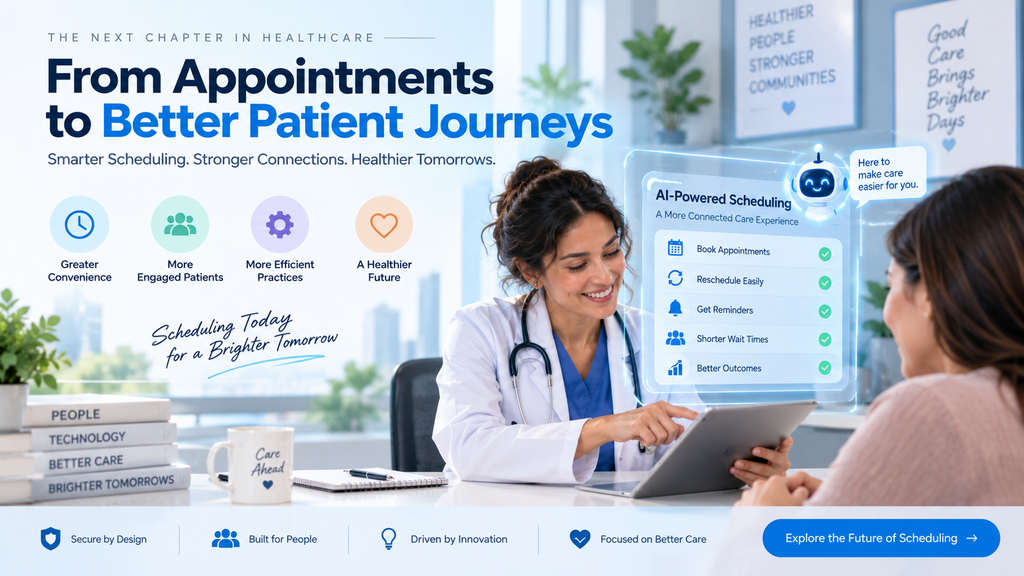
This model may include:
- Automated handling of routine scheduling requests
- Connected scheduling and communication workflows
- Appropriate privacy and security controls
- Defined escalation paths
- Human involvement for exceptions
This approach allows healthcare practices to reduce repetitive administrative work without treating automation as a replacement for every human decision.
Final Thoughts
Choosing HIPAA scheduling software in the USA requires more than comparing booking features.
Healthcare organizations should evaluate how the platform fits their real scheduling workflows, how information moves between systems, what contractual arrangements are required, and how automation interacts with human staff.
Traditional scheduling software can provide strong booking and calendar management capabilities. AI-powered platforms can add conversational scheduling, automated patient communication, reminders, cancellations, and workflow automation.
The right choice depends on the practice.
Start by mapping your existing scheduling process. Identify where staff spend the most time, where patients experience delays, and which systems currently exchange appointment information.
Then evaluate whether a platform can address those workflow challenges while supporting the privacy, security, contractual, and operational requirements relevant to your organization.
Frequently Asked Questions
It depends on the vendor’s role and whether the vendor creates, receives, maintains, or transmits PHI on behalf of a covered entity or business associate. Where a vendor is acting as a business associate, an appropriate BAA is generally required.
Yes. AI-powered scheduling workflows can support appointment requests, booking, rescheduling, cancellations, reminders, and related administrative interactions when appropriately configured and integrated.
HHS states that appointment reminders are considered part of treatment and may generally be made without patient authorization under the HIPAA Privacy Rule. Healthcare organizations should still consider the content and design of reminder communications.