Chronic Care Management (CCM) Automation software can help primary care practices improve ongoing support for patients with multiple chronic conditions while creating a reimbursable care-management workflow. Yet many practices struggle to turn eligible patients into consistently engaged CCM participants because enrollment, consent, monthly outreach, time tracking, and documentation require ongoing staff effort.
A CCM automation tool can reduce that administrative burden by helping practices identify potential candidates, streamline enrollment, track qualifying activities, organize documentation, and maintain regular patient contact. AI-enabled chronic care automation can go further by supporting risk identification, personalized outreach, and care-team escalation when a patient’s responses indicate a need for attention.
This guide explains how CCM automation software works, which AI capabilities matter most for patient engagement, the leading platforms to consider, and what primary care practices should evaluate before choosing chronic care management automation software.
Why the Enrollment Gap Exists
The CDC reports that three in four American adults have at least one chronic condition, and more than half have two or more. Among adults 65 and older, over 90 percent have at least one chronic condition. That is a large pool of patients who qualify for CCM, yet enrollment stays low.
The reason is structural, not clinical. CCM billing requires documented qualifying time, patient consent, and a comprehensive care plan that is established, implemented, revised, or monitored as required. Medicare reimburses this work through specific CPT codes. Code 99490 covers the first 20 minutes of non-complex care coordination each month, at a 2026 national-average Medicare payment of approximately $66, although actual payment varies by locality. Complex cases can qualify for code 99487, which requires 60 minutes of clinical staff time per month.
Meeting these requirements by hand takes real staff time. A care coordinator has to identify who qualifies, log every minute of contact, and follow up consistently enough to keep the account billable. Most practices simply do not have the staff capacity to do this for every eligible patient, which is why enrollment rates stay well below the eligible population even when the clinical need is there.
What a CCM Automation Software Actually Does
A CCM automation tool closes that gap by handling the operational side of the program. At a basic level, it identifies eligible patients, tracks time, and generates documentation automatically. Modern chronic care automation software goes further, using AI to flag risk, personalize outreach, and cut the staff hours needed per patient.
Core AI features to look for:
- Automatic eligibility detection. The system scans EHR data to identify patients who may meet CCM eligibility criteria, including those with two or more qualifying chronic conditions, so staff can review potential candidates without searching charts manually.
- Automated time tracking. Every call, message, and care task gets logged automatically, keeping billing accurate and audit-ready without manual entry.
- Predictive risk flagging. AI models scan patient data to identify who is at risk of an acute event, so care teams can step in before a problem becomes an emergency room visit.
- AI-assisted care plan drafting. Some platforms use AI to draft or update care plans from patient history, cutting the time a nurse or physician spends writing documentation from scratch.
- Consent and enrollment workflows. Guided workflows walk staff through patient consent, a step that is easy to skip and often causes claim denials when it is missed.
How AI Improves Patient Engagement in Chronic Care
Closing the enrollment gap only helps if enrolled patients stay engaged. AI supports this by reaching the right patient, at the right time, with the right message.
- Personalized outreach timing. AI can time monthly check-ins around a patient’s history and preferences, instead of sending the same reminder to everyone on the same day.
- Multi-channel contact. The best tools for chronic care follow-up reach patients by phone, text, and secure messaging, since not every patient responds the same way to the same channel.
- Proactive intervention. Instead of waiting for a patient to report worsening symptoms, AI-driven risk scoring lets care teams step in early, supporting better outcomes and fewer avoidable hospitalizations.
- Consistent monthly contact. CCM requires ongoing monthly engagement to stay billable. Reliable tools for chronic care follow-up keep that contact steady, so patients do not fall off the schedule after their first month.
Best CCM Automation Software for Primary Care Practices
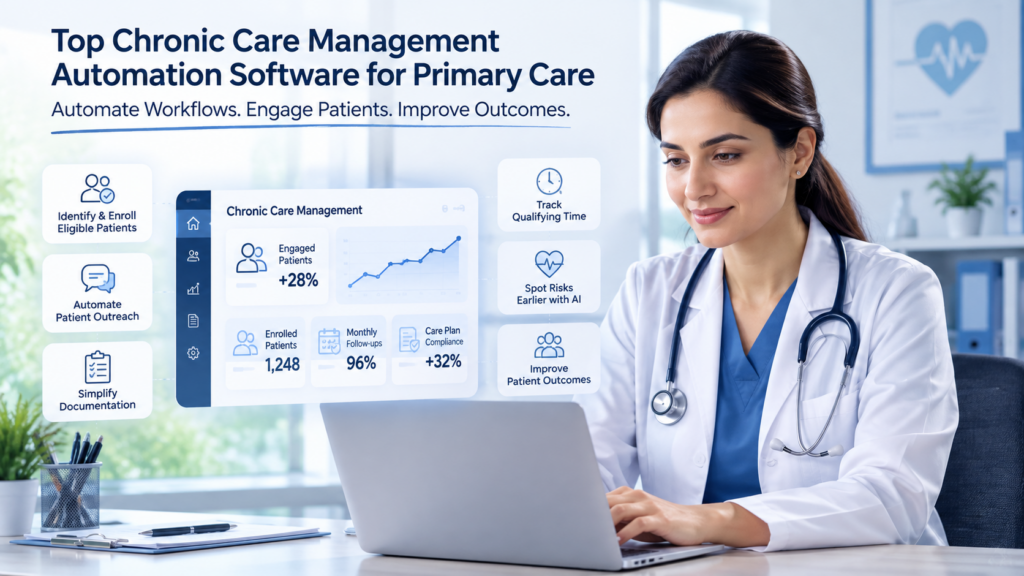
The best CCM automation software for primary care practices streamlines patient enrollment, consent, documentation, time tracking, and ongoing outreach. This guide compares leading platforms and the key features practices should consider when choosing chronic care management software.
Leading CCM Software Options for Primary Care are:-
1. MantraAssist
MantraAssist integrates Chronic Care Management into its broader value-based care platform, allowing practices to manage ongoing patient engagement alongside other population-health workflows. Its Chronic Care Management and Follow-ups module uses AI-driven check-ins for patients with diabetes, hypertension, and other chronic conditions.
The platform automates recurring patient engagement to support condition monitoring, medication adherence, and care-plan compliance. Patient responses that indicate potential risk can be routed to the appropriate care team for follow-up, helping practices maintain continuity between visits. Its chart-review capabilities also support diagnosis documentation for HCC and RAF capture alongside CCM activities.
A key advantage is its ability to work with information already available through the practice’s EHR and population health environment, reducing the need for a separate workflow for chronic-care outreach.
Best suited for: Primary care practices looking to combine CCM, patient engagement, risk identification, and value-based care workflows in one environment.
2. Prevounce
Prevounce focuses on automating the operational processes involved in identifying and enrolling patients into Chronic Care Management programs. According to the provided content, the platform can identify potential CCM-eligible patients using information from the EHR or Annual Wellness Visit data.
The platform also helps guide staff through the consent and enrollment process, addressing one of the administrative steps that can otherwise create friction when practices manage CCM manually. By identifying potential candidates earlier and providing structured enrollment workflows, Prevounce can help practices build a more organized CCM pipeline.
Best suited for: Practices that primarily need help identifying potential CCM patients and streamlining enrollment and consent workflows.
3. ChartSpan
ChartSpan provides chronic-care management support focused on the administrative and documentation requirements associated with ongoing CCM delivery. The provided content highlights its automated time tracking and care-plan templates.
Automated time tracking can help reduce the manual effort involved in recording qualifying patient interactions, while standardized care-plan templates can give care teams a more consistent framework for managing common chronic-condition combinations.
For practices running CCM at scale, these capabilities can help bring greater structure to recurring documentation and time-management workflows.
Best suited for: Practices looking to simplify CCM time tracking, documentation, and recurring care-plan management.
4. CCN Health
CCN Health is another platform identified in the draft as supporting automated CCM workflows. Its capabilities include automated time tracking and care-plan templates designed around common chronic-condition combinations, including diabetes and hypertension.
These functions address two recurring operational requirements of chronic-care programs: accurately documenting care-management activity and maintaining structured care plans. By reducing manual tracking, such tools can help care teams spend less time on administrative work and more time on patient-facing activities.
Best suited for: Practices seeking structured CCM documentation, time tracking, and care-plan workflows for patients with multiple chronic conditions.
5. Arcadia
Arcadia approaches chronic-care automation from a broader population-health and care-management perspective. Its care-management capabilities include AI-assisted workflows for identifying patient risk across populations.
Rather than focusing only on individual CCM billing tasks, this type of workflow can help organizations identify higher-risk patients who may require more proactive intervention. Risk identification can then support care teams in prioritizing patients and allocating resources more effectively.
Best suited for: Larger healthcare organizations and practices that want to connect chronic-care management with broader population-health analytics and risk identification.
The Business Case for Automation
Practices weighing this investment should look at two numbers: what enrollment automation can add, and what CMS is currently paying for the work.
Medicare’s 2026 Physician Fee Schedule increased payment rates for several CCM codes by roughly 8–10%, depending on the code. For example, the national-average payment for 99490 increased to about $66 and 99439 to about $50. That means each enrolled patient now generates meaningfully more revenue than the same patient did in 2025, on top of whatever a practice already earns from its existing panel. Combined with the enrollment gap described earlier, this points to a straightforward opportunity: practices that increase enrollment through automation capture more of a program that CMS is actively investing in, without expanding staff headcount to do it.
The staffing math supports the same conclusion. A care coordinator manually reviewing charts, logging minutes in a spreadsheet, and calling patients one at a time can realistically manage only a fraction of the patients that automated eligibility detection and outreach can support. That difference helps explain why manual programs can struggle to scale, while automation can support a larger eligible patient population without proportional staff growth.
Comparison: What to Look For in a CCM Automation Software
Feature lists can look similar across vendors, but the real differences become clear in day-to-day practice. The comparison below highlights the capabilities that make the biggest difference to staff efficiency, patient engagement, and CCM compliance.
How to Choose the Right Chronic Care Automation Software
Not every CCM platform is built the same. Some focus on billing compliance and documentation, while others prioritize patient engagement, predictive analytics, or care coordination. The right choice depends on your practice’s needs, size, and existing technology.
- Prioritize enrollment support first. Since the biggest gap is enrollment, not engagement of already-enrolled patients, look for tools that actively identify and reach out to eligible patients who are not yet enrolled.
- Confirm EHR compatibility. A CCM automation tool that does not sync with the practice’s existing EHR creates more work, not less.
- Ask how billing compliance is handled. The software should flag missing consent or documentation before a claim is submitted, not after a denial.
- Check for multi-program support. Practices that run Remote Patient Monitoring or Transitional Care Management alongside CCM should confirm that the platform can stack these programs into a single workflow.
- Ask what happens when a patient does not respond. Strong platforms automatically escalate unresponsive, high-risk patients to a human care team, rather than letting a missed check-in go unnoticed.
For most solo and small-group practices, chronic care management automation software for primary care physicians should reduce administrative time first and add advanced analytics second. Good chronic care automation software automates eligibility detection, time tracking, and consent, without adding complexity to daily workflow, which tends to see faster staff adoption.
Conclusion
The CCM enrollment gap is not a clinical problem. It is an operational one. Eligible patients exist in nearly every primary care panel, but manual outreach cannot keep up with the consent, time tracking, and monthly contact CCM requires. Automating that workload closes the gap, so care teams can focus on the patients who need attention, not the paperwork behind them.
Practices that close this gap see the benefit twice: patients get more consistent support between visits, and the practice captures reimbursement it may already be leaving on the table. With payment rates for several CCM codes increasing by roughly 8–10% in 2026, the timing to act is favorable.
Ready to see what AI-powered CCM automation looks like for your practice? Request a demo of MantraAssist to see how automated eligibility detection, monthly check-ins, and care team escalation can work inside your existing EHR, without adding staff or disrupting your current workflow.
Frequently Asked Questions
A CCM automation tool is software that helps practices manage the operational work involved in Medicare Chronic Care Management, including eligibility workflows, time tracking, documentation, consent, and patient outreach.
Enrollment stays low mainly because manual outreach cannot keep pace with the eligible patient population. Structured, automated tools for chronic care follow-up are one of the clearest ways to close that gap.
AI personalizes outreach timing, flags at-risk patients before problems escalate, and reaches patients across multiple channels, which keeps engagement steady after the first month.
CCM and RPM may be billed for the same patient in the same month when all applicable Medicare requirements are met and the services are separately documented. Practices must follow CMS rules on eligible services and avoid counting the same time toward both programs.
No. Solo and small primary care practices can run CCM with a small enrolled panel, since automation removes most of the staffing burden that used to make small-scale programs impractical.