“Can you fill out these forms before your appointment?” For many patients, this is still the first step of a clinic visit. A clipboard, multiple paper forms, and time spent completing information in the waiting room can add pressure to an already busy check-in process. For staff, those forms also create additional work that continues long after the patient has handed them back.
Automated patient intake offers a more efficient alternative. Through digital patient check-in, clinics can collect required information electronically and reduce repetitive administrative work. For busy practices, automated intake capture for high-volume clinics can help streamline how patient information is collected, reviewed, and prepared for the appointment.
Difference Between Automated Patient Intake and Paper Forms?
Paper-based intake generally requires patients to complete physical forms at the clinic. Staff then collect and review the information and may need to manually enter relevant details into the EHR, practice management system, or other administrative workflows.
Automated patient intake moves more of this process into a digital workflow. Depending on the clinic’s configuration, patients may be able to:
- Complete registration forms before arrival
- Provide demographic information digitally
- Update existing information
- Complete intake questionnaires
- Submit insurance details
- Receive pre-visit instructions
- Complete required forms from an approved device
- Move information into connected administrative workflows
The difference is not simply paper versus digital. It is also about how information moves through the clinic.
With paper forms, the process often involves multiple manual steps:
Patient completes form → Staff collects form → Staff reviews information → Staff enters or transfers data → Information becomes available for the visit
With automated intake, the workflow can become more connected:
Patient receives intake request → Patient completes digital information → Information is captured in the workflow → Staff review exceptions or missing information
Clinics using connected healthcare automation workflows can bring intake into a broader administrative process rather than treating patient registration, communication, and appointment preparation as completely separate tasks.
Paper Forms: Why They Create Administrative Challenges
Paper forms remain familiar to patients and staff, and they may still be useful in certain situations. However, paper-based intake can create operational challenges, particularly for practices managing a large number of appointments.
Manual Data Handling
Information collected on paper often needs to be transferred into another system. This may require staff to:
- Read handwritten responses
- Review forms for missing information
- Enter demographic details
- Update insurance information
- Transfer responses into the appropriate system
- Follow up when information is incomplete
Every additional handoff can add administrative work and increase the amount of time staff spend processing routine information.
Incomplete or Difficult-to-Read Information
Paper forms may be returned with:
- Blank fields
- Missing signatures
- Outdated information
- Incomplete insurance details
- Difficult-to-read handwriting
Staff then need to identify these issues and resolve them, often while the patient is waiting at the front desk.
Longer Check-In Processes
When patients arrive shortly before an appointment and need to complete several forms, front-desk teams may have to manage paperwork while also:
- Checking in other patients
- Answering incoming calls
- Confirming appointments
- Responding to patient questions
- Coordinating with clinical staff
- Managing missing information
During busy periods, these responsibilities can create unnecessary pressure on front-desk operations.
Document Management
Paper forms also need to be collected, organized, scanned, stored, or retrieved later. While digital intake does not eliminate every administrative task, it can reduce the number of manual steps involved in collecting and organizing routine patient information.
How Automated Patient Intake Works
Automated patient intake creates a structured digital process for collecting information before or during a patient’s visit.
A typical workflow may include:
- The patient receives an intake request.
- The patient completes the required information digitally.
- Required fields and incomplete responses are identified within the workflow.
- Information is captured and made available through connected systems or processes.
- Staff review exceptions and address issues when necessary.
The exact workflow will depend on the clinic’s technology environment, integrations, and operational requirements.
| Intake Step | Paper-Based Process | Automated Patient Intake |
|---|---|---|
| Patient registration | Completed on physical forms | Completed through a digital workflow |
| Information review | Staff manually review paperwork | Required information can be reviewed within the workflow |
| Data transfer | Information may require manual entry | Information can move through connected systems |
| Missing information | Identified after staff review | Incomplete fields can be flagged |
| Document handling | Forms may need scanning and filing | Information is managed digitally |
| Appointment readiness | Paperwork is often completed close to the visit | Information can be collected before arrival |
This is one reason digital patient check-in can be particularly valuable for clinics with high patient volumes. The goal is not simply to replace a clipboard with a screen. A well-designed workflow can move routine information collection earlier in the patient journey and reduce the amount of administrative work required at the time of arrival.
For example, AI use cases in healthcare can extend beyond a single administrative task by connecting patient communication and other repeatable workflows.
Automated Patient Intake vs Paper Forms: A Direct Comparison
The better option depends on a clinic’s patient population, workflow, technology environment, and operational needs. However, paper-based and automated processes create significantly different administrative experiences.
| Factor | Paper Forms | Automated Patient Intake |
|---|---|---|
| Patient convenience | Usually completed at the clinic | Can be completed before arrival when the workflow allows |
| Staff workload | Requires collection, review, and possible data entry | Can reduce repetitive information handling |
| Information accuracy | Depends on handwriting and manual transcription | Uses structured digital fields |
| Incomplete forms | Often identified after staff review | Missing fields can be identified during completion |
| Check-in speed | May increase waiting time during busy periods | Can reduce administrative work at arrival |
| High-volume scalability | More patients can create more paperwork | Supports repeatable intake processes |
| Data availability | Information may need to be transferred before use | Information can be available through connected workflows |
| Document management | Requires physical handling and storage | Information is managed digitally |
| Staff focus | Staff process routine forms | Staff can focus more on exceptions and patient assistance |
For many practices, the biggest operational difference is the shift from manual processing to exception-based review.
Instead of asking staff to process every form from beginning to end, automated workflows can allow teams to focus on situations that need their attention, such as:
- Missing information
- Patient questions
- Unusual responses
- Insurance or eligibility concerns
- Workflow exceptions
- Patients who require direct assistance
This distinction becomes increasingly important as patient volume grows.
Why Automated Intake Capture Matters for High-Volume Clinics
For a small practice with a limited number of daily appointments, paper forms may remain manageable. However, as patient volume increases, the administrative burden associated with manual intake can grow quickly.
A high-volume clinic may need to process dozens or hundreds of patient interactions each day. Without automation, this can mean more:
- Forms to distribute
- Documents to collect
- Information to review
- Missing fields to identify
- Details to enter
- Patient records to update
- Administrative follow-ups
Automated intake capture for high-volume clinics can help standardize these repeatable steps.
Information Can Be Collected Earlier
Patients may be able to complete required information before arriving at the clinic. This can reduce the amount of paperwork handled in the waiting room and allow staff to identify issues before the scheduled visit.
Front-Desk Teams Can Focus on Exceptions
Not every patient requires the same level of administrative support.
Some patients may complete the required information independently, while others may need assistance with missing details, technical issues, or more complex questions.
Automation can help staff direct their attention toward the patients and situations that require it most.
Workflows Can Become More Consistent
Digital intake workflows can standardize the information requested from patients and support clearer processes for:
- New patient registration
- Returning patient updates
- Appointment-specific questionnaires
- Pre-visit information
- Insurance details
- Required acknowledgments
Intake Can Support Downstream Workflows
Patient intake does not exist independently from the rest of clinic operations. Information collected during registration may affect scheduling, appointment readiness, eligibility-related workflows, documentation, and other administrative processes.
This is why connected automation can provide more value than a standalone digital form. For example, revenue cycle management automation workflows can connect patient-facing administrative processes with downstream operational requirements.
How Digital Patient Check-In Can Improve the Patient Experience
The patient experience begins before the clinical encounter.
When patients arrive and immediately receive multiple forms, they may need to complete paperwork while also preparing for their appointment and asking questions at the front desk.
Digital patient check-in can provide more flexibility by allowing eligible information to be completed before arrival.
Potential benefits include:
- Less paperwork at the front desk
- Reduced waiting-room administration
- More time for patients to review information
- Greater flexibility around when forms are completed
- Fewer repetitive requests for the same details
- A more structured arrival process
However, clinics should not assume that every patient will prefer or be able to use digital tools independently.
Some patients may:
- Have limited access to technology
- Need assistance using digital forms
- Require language or accessibility support
- Prefer another method of completing information
Automation should improve access rather than create a new barrier.
For many practices, the most practical approach is a hybrid model in which routine intake is available digitally while staff remains available to support patients who need assistance.
This reflects the broader purpose of healthcare automation benefits: reducing repetitive administrative work while preserving human support where it provides the greatest value.
Data Accuracy, Privacy, and Security Considerations
Moving from paper to digital intake changes how patient information is collected and managed, but it does not remove a healthcare organization’s responsibility to protect that information.
Clinics should evaluate how their intake technology handles patient information and whether the workflow fits their privacy and security requirements. The HIPAA Privacy and Security Rules guidance from HHS provides the regulatory framework healthcare organizations should consider when handling electronic protected health information.
Before implementing automated intake, clinics should evaluate areas such as:
- Access controls
- Authentication
- Data storage
- Data transmission
- System integrations
- Audit capabilities
- Staff access permissions
- Vendor responsibilities
Healthcare organizations should also understand:
- What information is being collected
- Where the information is stored
- Who can access it
- How information moves between systems
- What safeguards are available
- What responsibilities apply to the organization and technology providers
Digital intake can improve workflow efficiency, but privacy and security should be considered as part of implementation rather than as an afterthought.
When Paper Forms May Still Be Useful
Automated patient intake is not necessarily the right answer for every patient or every situation.
Paper forms may still be useful when:
- A patient cannot access the digital workflow
- A patient is unable to complete digital forms independently
- The clinic experiences a temporary technology issue
- A specific workflow requires an in-person process
- Accessibility requirements are better met through another format
- Staff assistance is necessary
The question should not always be whether a clinic must completely eliminate paper.
Instead, healthcare organizations can ask:
Which parts of patient intake are repetitive enough to automate, and where is human or alternative support still necessary?
For many clinics, the strongest approach is to make digital intake available as the standard workflow while maintaining reliable alternatives for patients who need additional support.
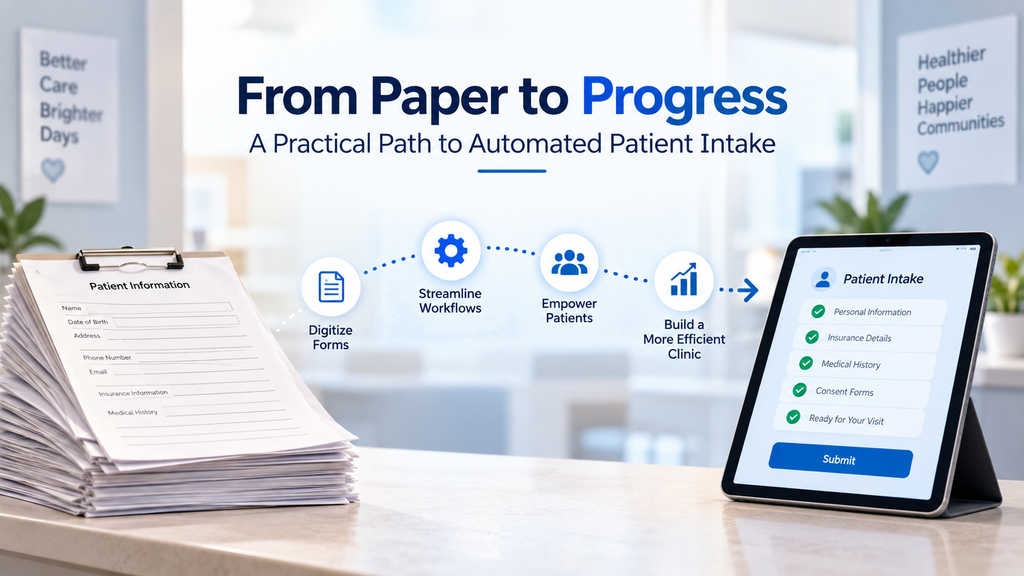
How Clinics Can Transition From Paper to Automated Patient Intake
Moving from paper forms to automated intake does not need to happen all at once.
Clinics can begin by identifying the parts of their existing intake process that create the greatest amount of repetitive work.
Review Current Forms
Identify:
- Which forms are completed most frequently
- Which information is collected repeatedly
- Which fields are often incomplete
- Which details require manual entry
- Which forms are specific to certain appointment types
Prioritize High-Volume Workflows
Start with the processes that affect the greatest number of patients, such as:
- New patient registration
- Returning patient information updates
- Basic demographic information
- Pre-visit questionnaires
- Appointment-specific forms
Connect Intake With Existing Systems
The value of automated intake increases when information does not need to be manually copied between systems.
Clinics should evaluate how the workflow connects with:
- EHR systems
- Practice management systems
- Scheduling tools
- Patient communication workflows
- Eligibility-related processes
Create an Exception Process
Automation should not assume that every interaction will be completed perfectly.
Staff should have clear processes for:
- Missing information
- Patient questions
- Technical problems
- Information requiring clarification
- Patients needing direct assistance
Measure Operational Results
After implementation, clinics can monitor:
- Average check-in time
- Number of incomplete forms
- Staff time spent on manual entry
- Patient completion rates
- Front-desk workload
- Patient feedback
This can help practices refine their intake workflow based on actual operational needs.
Key Takeaway
When comparing automated patient intake vs paper forms, the biggest difference is how information moves through the clinic.
Paper-based workflows often depend on manual collection, review, and data transfer. Automated intake can move routine information collection into a structured digital workflow, helping patients complete information earlier and allowing staff to focus on exceptions rather than processing every form manually.
For growing practices and high-volume environments, digital patient check-in and automated intake capture can support more consistent administrative workflows. The strongest approach is not simply replacing paper with technology-it is connecting intake with scheduling, communication, and other operational processes while keeping human assistance available when patients need it.
Frequently Asked Questions
For many clinics, digital patient check-in can reduce repetitive paperwork and manual information handling. However, the best approach depends on the clinic’s workflow, patient population, and ability to support patients who need assistance.
It can reduce repetitive tasks such as distributing forms, collecting paperwork, reviewing routine information, and manually transferring data. This can allow staff to focus more on exceptions and direct patient assistance.
Clinics should evaluate workflow fit, system integration, patient accessibility, privacy and security requirements, staff processes, and how the technology handles exceptions.